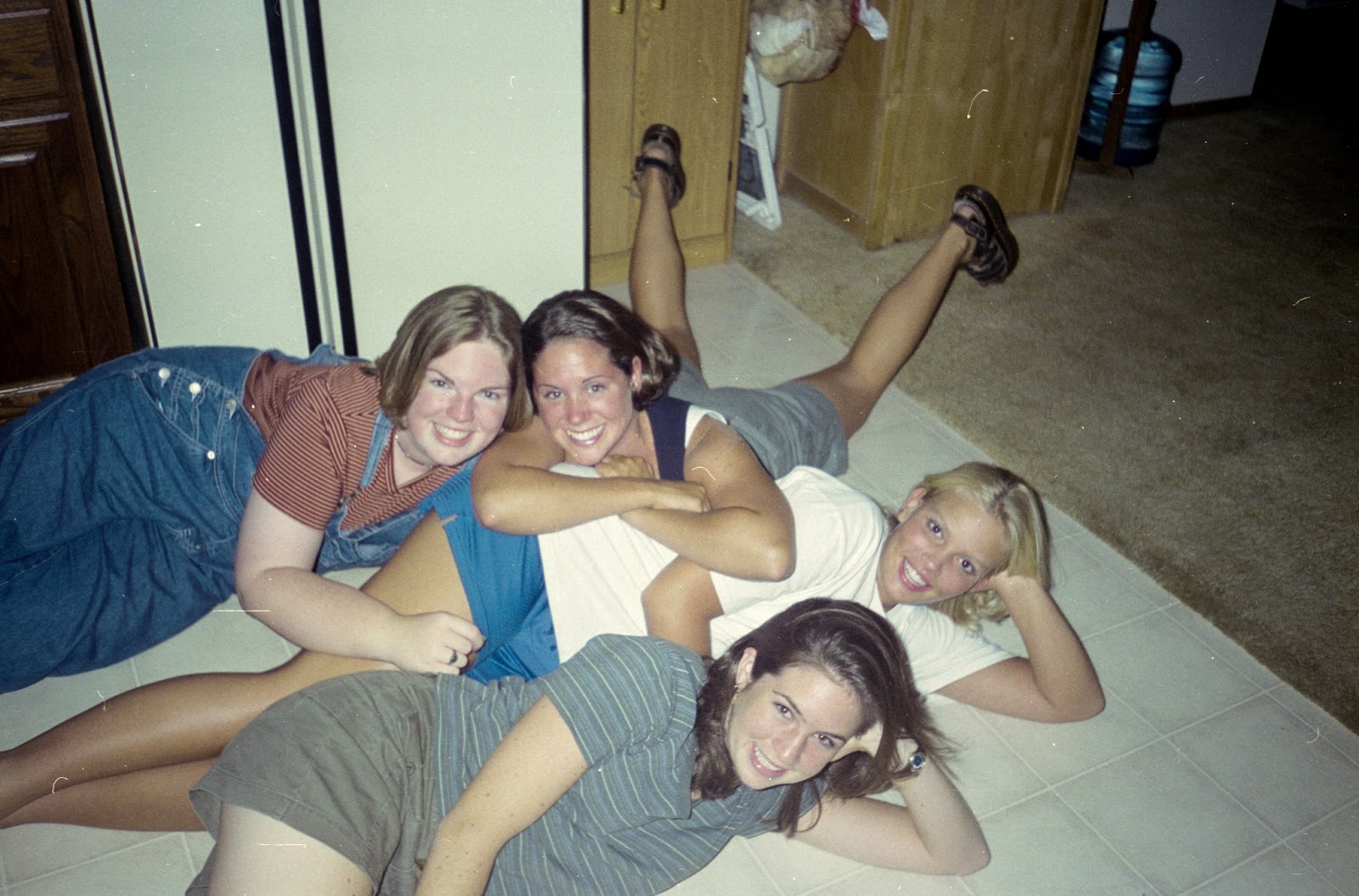
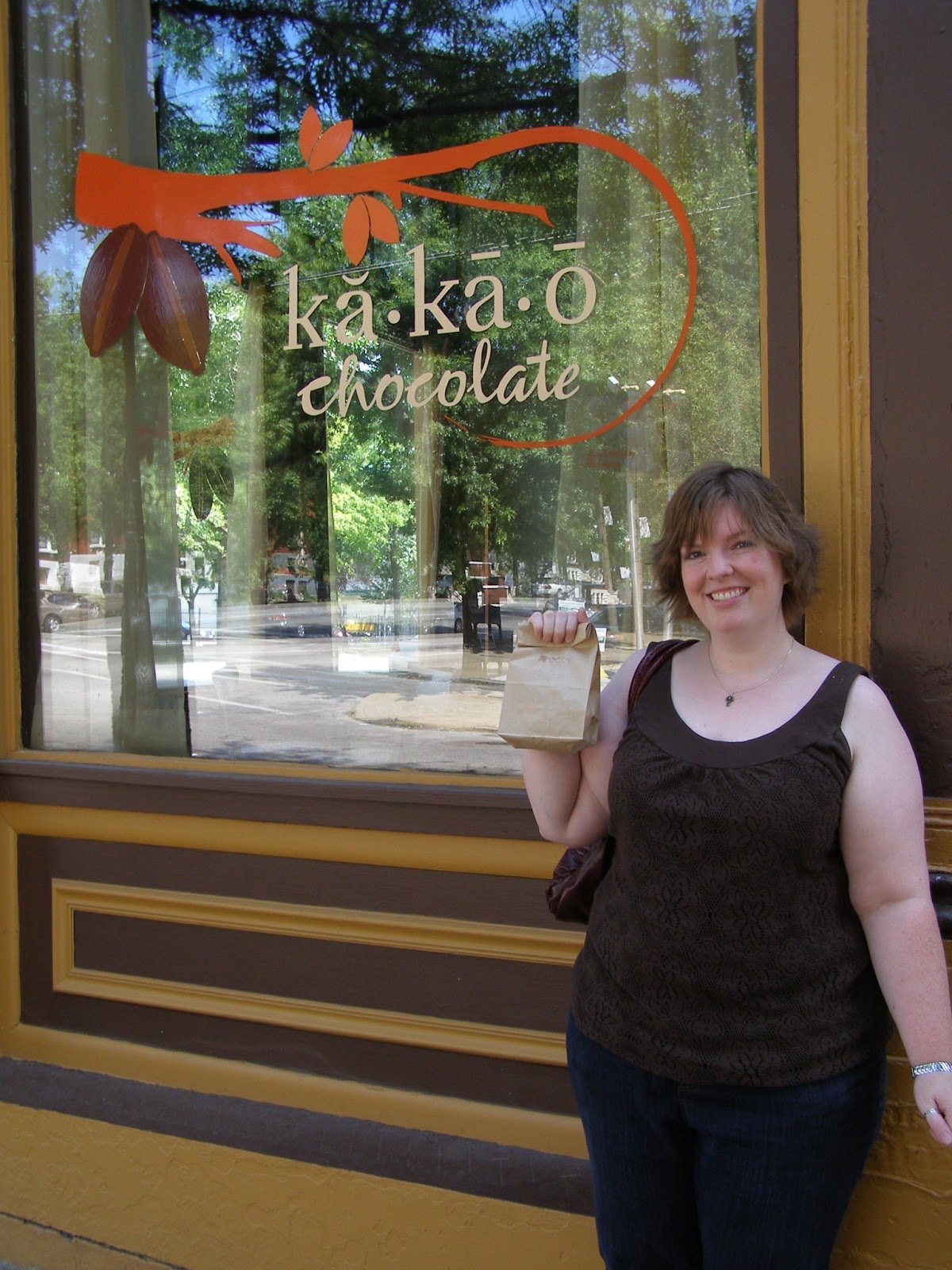
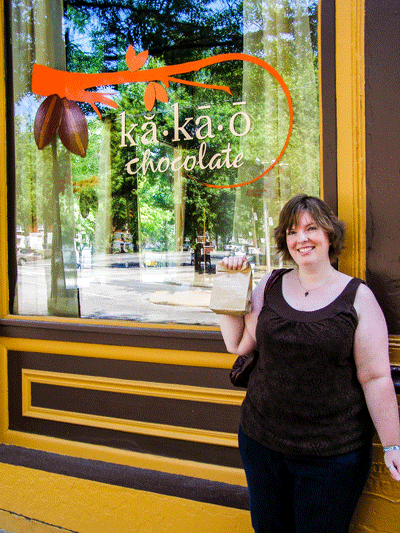
Finally had some time to work on more Photoshop stuff tonight for my workshop on JessicaSprague.com! Yay! Tonight the plan was to continue to playing with color and fit the photo to a clipping mask (in this particular case, giving it a softer, smudgy edge). This mask was part of the class materials, and as it's the only one I have, I'm applying it on whatever I'm practicing on. I'm going to need to look into how to get and/or create more masks, because a girl's gotta have choices, but for now, this will work :) lol. I'm continuing to work on cropping to the rule of thirds too, so I'm getting lots of chances to put things I've learned so far into practice. Anyway, the color is sort of out of control, but in a good way, I think. Here's my thinking: I probably wouldn't want to edit photos for a photo album or scrapbook, unless there was a special reason to do so...partly because I sort of like how it's captured as it is, and partly because I rarely do formal scrapbooking anyway. I think the kind of color I'm doing here would probably be way too much for a scrapbook...it would seem weird and out of place. However, my intent with most of my photo edits is to be able to use them in wall décor pieces, in which case I think the highly saturated color kind of works. Obviously, that's all to each his own...just my personal preference :) Anyway, here's what I came up with:
BEFORE
AFTER
BEFORE
AFTER
And that's all for tonight! Have a good one!
Showing posts with label photo edits. Show all posts
Saturday, April 27, 2013
Monday, April 22, 2013
Photo Edits - Rule of Thirds...
More Photoshop fun! Woot! I did some more practicing on the rule of thirds and adding frames and working on the black & white workflow tonight. Here's something interesting I realized...there's something to that rule of thirds thing and your eye naturally seeking it out. The "Rule of Thirds" is as follows: If you think of a picture being gridded out by splitting it in thirds both horizontally and vertically, you'll notice your eye naturally gravitates toward the places where those gridlines intersect...and therefore, that should be where your focal points are, to be most pleasing to the eye. So what I realized when I was going through photos on my computer to crop down to fit that criteria, was that most of the favorite photos that I've taken ALREADY fit that criteria. I have, to a point, naturally been doing that anyway. Weird, huh? I guess my eyes know the drill, whether I realize it or not. lol :) So anyway, here's the edits I worked on tonight:
BEFORE
AFTER
BEFORE
AFTER
BEFORE
AFTER
So that's all for tonight...more soon, I'm sure :)
BEFORE
AFTER
BEFORE
AFTER
BEFORE
AFTER
So that's all for tonight...more soon, I'm sure :)
Flooding and Photo Edits...
Well, this week has been crazy. I think I'm glad I wasn't still living in Zion this week, cuz I'm pretty sure my apartment complex there was under water. That said, I did a lot of driving this weekend, and saw a whoooole lot of water where it wasn't supposed to be. It's kind of surreal knowing that there should be acres and acres of field where you're looking, and at the moment it's just water as far as the eye can see. Anyway, I took a couple pics while I was driving and still had a little light. I just got home a little while ago and figured I'd do a quick edit to see if I could make a real difference on a picture from my crappy camera phone. All in all, I think it turned out pretty good. I cropped it and changed the orientation and then fit it to "The Rule of Thirds" that I'm learning in my Photoshop workshop right now. I'm going to do some more practicing (and probably posting) tomorrow, but I figured I'd get this one up here tonight. Also, below that is another color correction I did to an old photo I had scanned from the negative. I really can't believe how much of a difference it makes. Anyway, here we go:
BEFORE
AFTER
BEFORE
AFTER
And that's all for tonight! More soon!
BEFORE
AFTER
BEFORE
AFTER
And that's all for tonight! More soon!
Wednesday, April 17, 2013
Photo Editing Workshop - Cropping and Before & Afters
Well, Lesson 3 in my photo editing workshop on JessicaSprague.com was about cropping directly to specific sizes and creating before & after side-by-sides. The cropping was a little more challenging than I had anticipated, but I'm getting it down. I think my most favorite thing might be the before & afters, cuz it's going to save me a ton of pages in my workshop binder...now I can just put one pic in for each change instead of two! Woot! Anyway, here's what I came up with:
BEFORE
AFTER (I was trying to see if I could make it look stormy with the color and adding the vignette, but it turned out kind of weird...HOWEVER, I successfully cropped out all the dashboard stuff, so I still consider it a win!)
BEFORE & AFTER (Awww...my ex-dog. I may have three little canine monsters already, but I still miss lil' Bailey sometimes...what a cutie)
BEFORE & AFTER (The resolution wasn't really good enough on this pic to crop in as far as I did, but I was more trying to get the frame that I wanted than a super sharp pic)
All in all, I think pretty good success. Gonna try to continue practicing what I've already learned so I can integrate it into new lessons...woot!
BEFORE
AFTER (I was trying to see if I could make it look stormy with the color and adding the vignette, but it turned out kind of weird...HOWEVER, I successfully cropped out all the dashboard stuff, so I still consider it a win!)
BEFORE & AFTER (Awww...my ex-dog. I may have three little canine monsters already, but I still miss lil' Bailey sometimes...what a cutie)
BEFORE & AFTER (The resolution wasn't really good enough on this pic to crop in as far as I did, but I was more trying to get the frame that I wanted than a super sharp pic)
All in all, I think pretty good success. Gonna try to continue practicing what I've already learned so I can integrate it into new lessons...woot!
Saturday, April 13, 2013
Photo Editing Workshop - Black & Whites...
Yay! More Photoshop workshop time! First off, can I just say that I love Jessica Sprague? If even a handful of people told me I was awesome as much as Jessica Sprague has said I was awesome (albeit, she's saying it to everyone who takes this workshop, but still...lol), I couldn't possibly maintain the foul mood I've managed for the last couple of weeks. Anyway, the second lesson in class was getting high contrast black and whites out of your color photos AND adding vignettes. It's interesting...Photoshop seems so overwhelming (and yeah, it probably is...if you were trying to learn every piece of it at once), but it's shockingly manageable to get results that you want, once you know what you're looking for. Here's what I came up with:
BEFORE
AFTER
BEFORE
AFTER
BEFORE
AFTER
BEFORE
AFTER
Not too shabby :) I just want to open every picture I've ever saved on my computer and tinker with it! I think I'll avoid that and just work on tweeking NEW pictures once I'm done with the workshop...and maybe a few old favorites. Anyway, gonna probably work on another unit tonight, so maybe more tomorrow. And I swear I'm going to get up the recipe update for March and the new menu plan for April up at some point in the not-so-distant future. Have a good one all!
BEFORE
AFTER
BEFORE
AFTER
BEFORE
AFTER
AFTER
Not too shabby :) I just want to open every picture I've ever saved on my computer and tinker with it! I think I'll avoid that and just work on tweeking NEW pictures once I'm done with the workshop...and maybe a few old favorites. Anyway, gonna probably work on another unit tonight, so maybe more tomorrow. And I swear I'm going to get up the recipe update for March and the new menu plan for April up at some point in the not-so-distant future. Have a good one all!
Friday, April 12, 2013
Fantastic Photoshop...
I'm taking a Photoshop workshop on JessicaSprague.com! Photo Editing 1: Good to Great...I'm so excited! I finally bit the bullet and bought Photoshop Elements 11, because I keep seeing these fantastic pictures on all of these dang artsy websites, and they just keep saying they're using Photoshop to get these beautiful pictures perfect. And I kept thinking, "It'd be so much cheaper to buy Photoshop than a new camera!" lol. Not really, because I like my lil' point-n-shoot, but you know what I mean...I want those gorgeous pictures! So yeah...here we are. I finished lesson one last night, and I finally had a chance to play around with my own pictures tonight. Here's my results so far:
BEFORE
BEFORE
Subscribe to:
Posts (Atom)


+10-1-edit.jpg)